
Introduction
Water management is increasingly important in high-density residential buildings. Apartment complexes, condominiums, and residential towers may contain hundreds or even thousands of water meters. Manually reading these meters takes time and increases labor costs. It can also delay leak detection and the identification of abnormal water consumption.
LoRa technology offers a practical solution for modern water management. It enables long-range wireless communication while consuming little power. With a well-designed network, property managers can collect water consumption data remotely, reduce manual work, and monitor water usage more efficiently.
However, deploying LoRa water meters in high-density residential buildings requires careful planning. Building materials, meter locations, gateway placement, and system integration all affect network performance.
This guide explains how to deploy LoRa water meters in high-density residential buildings, from initial planning to installation, testing, and long-term maintenance.
1. Assess the Building and Water Meter Layout
Before installing LoRa water meters, assess the building structure and water supply system.
High-density residential buildings often have complex layouts. Water meters may be located inside apartments, in utility shafts, in basement rooms, or in shared service areas. Concrete walls, reinforced floors, and metal cabinets can weaken wireless signals.
Start by collecting the following information:
- Building structure: Identify the number of floors, apartment units, basements, and technical rooms.
- Water meter locations: Record each meter’s location and check for nearby walls, metal enclosures, or other potential sources of signal obstruction.
- Meter quantity: Estimate the total number of meters the system must support.
- Water supply design: Determine whether the building uses individual apartment meters, floor-level meters, or centralized meter rooms.
- Existing infrastructure: Check available power supplies, communication networks, and building management systems.
This assessment helps determine the number and location of gateways. It also reduces the risk of coverage problems after installation.
2. Choose the Right LoRa Water Meters
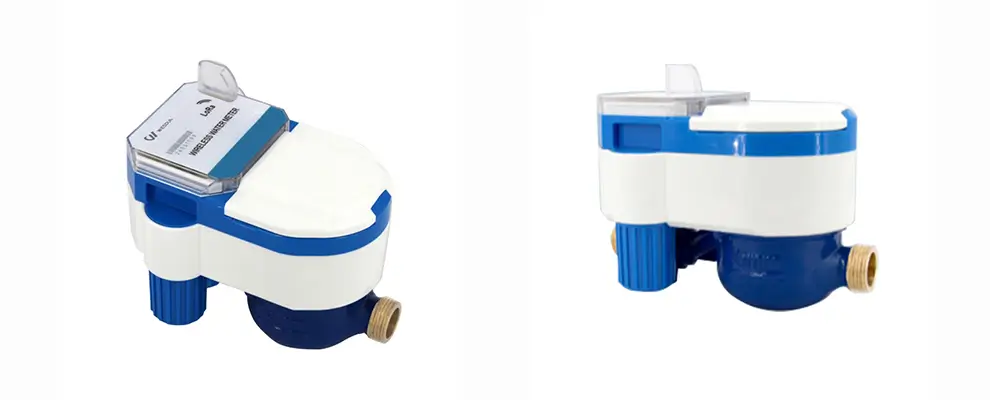
Water meters form the foundation of the system. Choose models that match the building’s water supply requirements and communication needs.
Select the Appropriate Meter Type
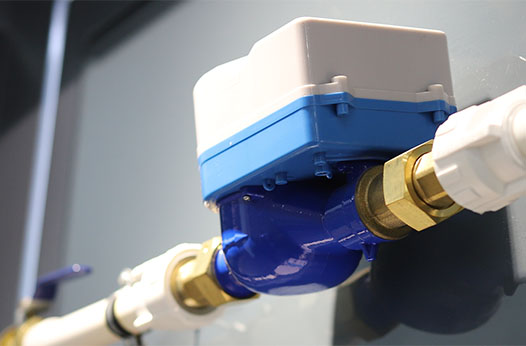
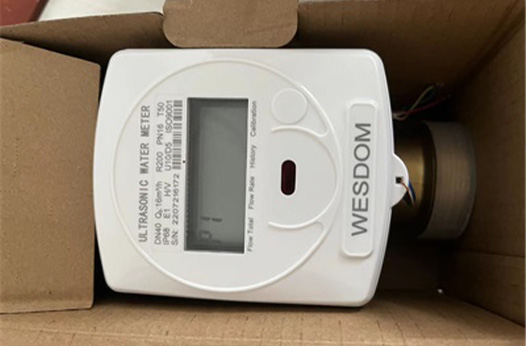
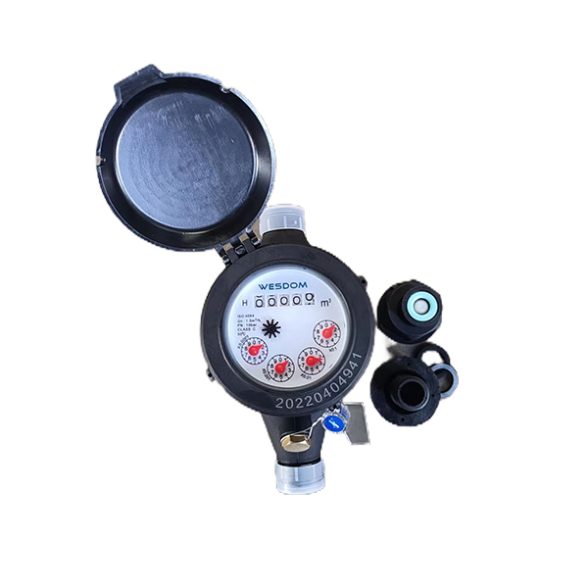
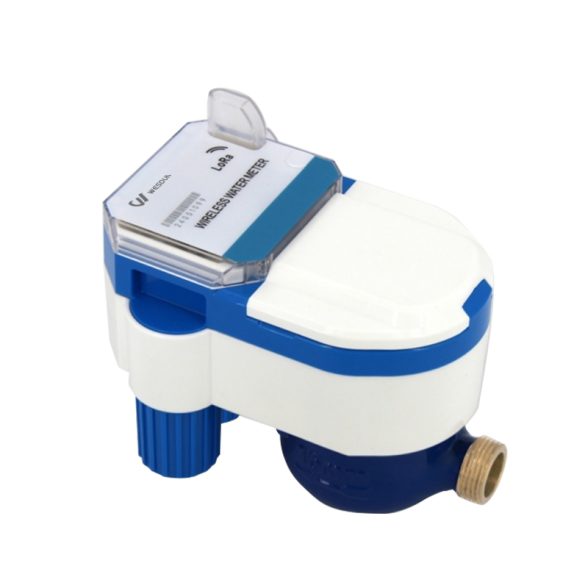
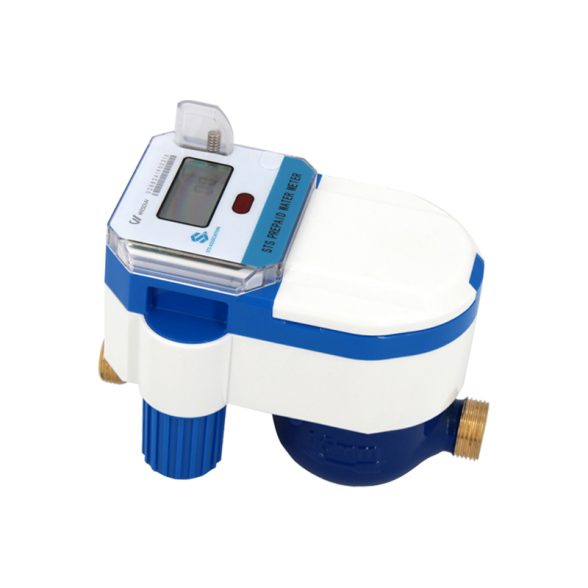
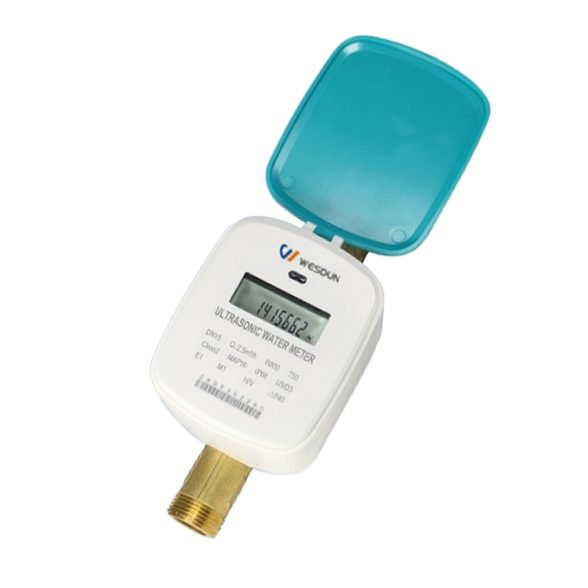
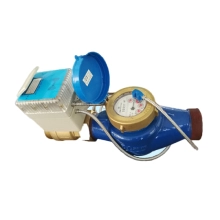
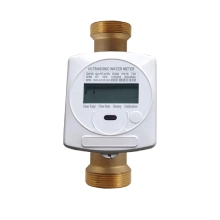
Depending on the project, you may need mechanical water meters with wireless communication modules or fully integrated smart water meters.
Consider the following factors when selecting a meter:
- Meter size and flow range: Match the meter to the pipe diameter and expected water consumption.
- Measurement accuracy: Choose a meter that meets local regulations and project requirements.
- Communication compatibility: Confirm that the meter supports the selected LoRa or LoRaWAN network architecture.
- Battery life: Choose a low-power design that supports the planned reporting frequency.
- Installation conditions: Check the meter’s pressure rating, temperature range, and environmental protection rating.
- Data functions: Determine whether the meter supports consumption readings, alarms, continuous-flow detection, or reverse-flow alerts.
Not all LoRa water meters offer the same features. Check the product specifications before purchasing equipment.
Understand the Difference Between LoRa and LoRaWAN
LoRa is a wireless modulation technology designed for long-range, low-power communication. LoRaWAN is a communication protocol that defines how devices communicate through gateways and a network server.
Some water metering systems use proprietary LoRa communication. Others use LoRaWAN. These systems are not necessarily interoperable.
Before deployment, confirm that the Lora water meters, gateways, network server, and management software support the same communication architecture.
3. Plan Gateway Placement Carefully
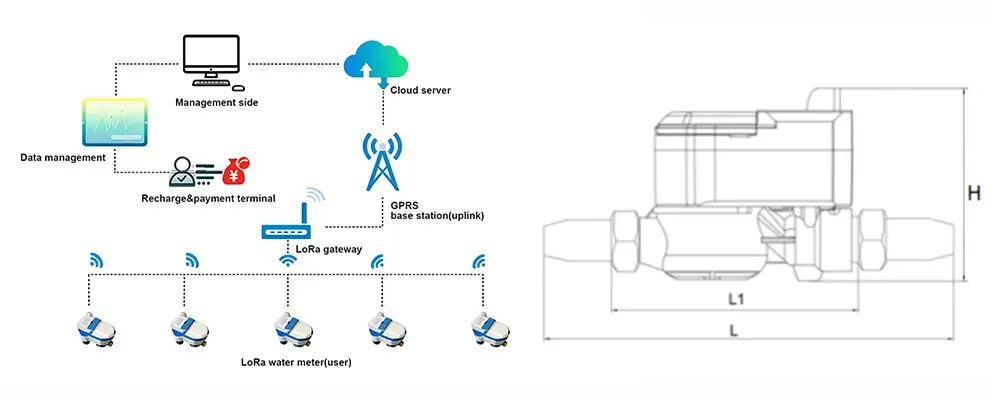
Gateways receive wireless data from water meters and forward it to a network server. Their placement directly affects network coverage and reliability.
In high-density residential buildings, a single gateway may not provide reliable coverage for every meter. Concrete floors, reinforced walls, metal cabinets, and underground spaces can weaken radio signals.
Key Tips for Gateway Placement
Conduct a building survey. Review floor plans and identify areas with potential signal obstructions. Pay special attention to basements, stairwells, utility shafts, and enclosed meter rooms.
Choose suitable installation points. Place gateways where they can provide good coverage across multiple floors. Elevated positions may help, but the best location depends on the building layout and radio conditions.
Test signals inside meter rooms. Do not rely solely on measurements taken in corridors or open areas. A meter inside a metal cabinet may experience much weaker signal strength.
Consider multiple gateways. Large buildings and structures with thick reinforced concrete walls may need several gateways. Plan coverage for each group of meters and provide additional coverage in areas with weak signals.
Check backhaul connectivity. Gateways need a reliable connection to the network server. Depending on the equipment, this connection may use Ethernet, Wi-Fi, or cellular connectivity.
Avoid choosing gateway locations based on floor area alone. Real-world signal measurements provide a more reliable basis for network design.
4. Conduct an On-Site Signal Test
On-site signal testing is one of the most important steps in deployment. It helps identify coverage gaps before full installation begins.
Install a small number of test meters or use suitable test devices at representative locations. Include apartments on different floors, basement meter rooms, and areas behind thick walls.
During testing, check the following:
- Signal strength: Determine whether each gateway can receive signals from the test devices.
- Signal quality: Review indicators such as the signal-to-noise ratio when the equipment provides them.
- Packet delivery: Check whether the network receives meter messages consistently.
- Communication stability: Repeat tests at different times and under realistic operating conditions.
- Gateway capacity: Confirm that the planned network can handle the expected number of devices and reporting messages.
Do not rely on a single successful transmission. A reliable deployment requires consistent communication.
If some locations perform poorly, adjust gateway positions, add gateways, or consider a different antenna arrangement. Repeat the tests after each major change.
5. Configure the Network for High-Density Metering
A high-density residential building may contain hundreds or thousands of LoRa devices. Network planning must account for message frequency, airtime, gateway capacity, and radio interference.
Set a Suitable Reporting Interval
Water meters do not always need to transmit data every few seconds. Frequent reporting increases network traffic and may reduce battery life.
For routine billing, some projects can use periodic readings at intervals of several minutes or longer. The appropriate interval depends on billing rules, monitoring needs, device capabilities, and local requirements.
For example, a building might collect routine consumption readings every 15 minutes and transmit urgent alarms when a meter detects an abnormal condition. This is only an example configuration, not a universal standard.
Use Adaptive Data Rate Where Appropriate
In LoRaWAN networks, Adaptive Data Rate (ADR) can help optimize the data rate and transmission power of suitable devices operating under stable radio conditions.
However, devices in basements or behind thick concrete walls may experience weak or changing signals. Test ADR settings carefully and use appropriate alternatives when unstable radio conditions make ADR less effective.
Reduce Unnecessary Data Transmission
Transmit only the data required by the application. Where the system supports it, combine multiple readings into a single message. Use event-based messages for important alarms instead of transmitting every measurement separately.
Also, plan for devices that transmit at the same time. Randomized reporting schedules can help reduce simultaneous transmissions and improve network efficiency.
6. Install the Water Meters and Gateways
Once the network design passes testing, begin the installation.
Install Water Meters Correctly
Follow the manufacturer’s installation instructions and applicable plumbing standards. Confirm the correct flow direction, pipe size, pressure conditions, and required installation orientation.
Where necessary, use qualified plumbing technicians to install or replace meters. Check for leaks and verify that each meter measures water consumption correctly.
For existing buildings, coordinate installation with property management. Plan water shutdowns in advance and notify residents if the work may interrupt their water supply.
Install and Configure Gateways
Mount gateways at the approved locations and protect them from unsuitable environmental conditions. Check power supplies, network connections, antennas, and grounding requirements where applicable.
For each gateway, record its location, device identifier, configuration, and backhaul connection. Keep the configuration consistent with the approved network design.
Register Every Device
Assign each meter a unique identifier and link it to the correct apartment, unit, or billing account.
Record important details, including:
- Meter serial number
- LoRa device identifier
- Apartment or unit number
- Initial meter reading
- Installation date
- Gateway or network assignment, where applicable
Accurate records help prevent billing errors and simplify future maintenance.
7. Integrate the System with Water Management Software
Wireless data collection is only one part of a smart water metering system. The software must turn meter readings into useful information.
Depending on the project, the system may include LoRa gateways, a LoRaWAN network server, an application server, and a water management platform.
A typical LoRaWAN data path looks like this:
Water meter → LoRa gateway → LoRaWAN network server → Application platform → Property management system
The application platform processes meter readings and makes them available to authorized users. It may also send data to billing software or a building management system through an API or another supported interface.
Key Software Functions
A practical water management platform should support:
- Remote meter reading and consumption reports
- Historical data and usage comparisons
- Low-battery and communication alerts
- Abnormal consumption notifications
- Leak-related alerts when supported by the meter or analytics
- User permissions and data access controls
- Data export and integration with billing systems
Check how the platform handles missing readings, duplicate messages, delayed data, and communication failures. These issues can affect billing accuracy and daily operations.
Also, distinguish between a dedicated leak sensor and an abnormal-consumption algorithm. A meter may flag continuous water flow or unusual usage without directly confirming a physical leak.
8. Test the Entire System Before Handover
After installation, perform an end-to-end test. Do not limit acceptance testing to checking whether individual meters can transmit data.
Verify the following:
Meter accuracy: Compare selected readings with an appropriate reference or follow the approved verification procedure.
Communication performance: Confirm that meters deliver data reliably from representative locations throughout the building.
Data accuracy: Check that the platform displays the correct meter identifier, timestamp, and consumption value.
Alarm handling: Test supported alarms, including low-battery alerts and abnormal-flow notifications.
Billing integration: Confirm that readings reach the correct apartment accounts and that billing calculations use the intended data.
Power and connectivity recovery: Test how the system responds when a gateway loses power or temporarily disconnects from the server.
Security: Verify device authentication, network access controls, and appropriate protection for data transmission and storage.
Define acceptance criteria before testing begins. For example, set project-specific targets for data delivery rates, reading accuracy, alarm response, and system availability.
The project team should document the test results and resolve major issues before handing the system over to the property manager.
9. Maintain the System After Deployment
A successful installation requires ongoing maintenance. Regular checks help maintain data quality and reduce unexpected service interruptions.
Monitor Communication Performance
Review device status, missing readings, gateway connectivity, and battery indicators. Investigate meters that stop reporting or experience repeated communication failures.
Track Battery Life
Battery life depends on the meter design, battery capacity, reporting frequency, radio conditions, and operating environment. Poor signal conditions may increase power consumption when devices need to transmit at higher power or repeat messages.
Use the manufacturer’s battery-life estimates as a starting point. Update maintenance plans based on actual field performance.
Review Water Consumption Data
Compare consumption patterns across apartments, floors, and common areas. Investigate unusual changes or continuous flow when the system supports these functions.
Historical data can help property managers identify possible leaks, unusual consumption, and maintenance issues. However, verify important findings before taking action.
Keep Network Records Updated
Update meter assignments, gateway configurations, and software versions whenever the system changes. Maintain clear records of replaced meters and batteries.
For larger projects, remote monitoring and centralized maintenance tools can reduce the time needed to manage hundreds or thousands of devices.
10. Best Practices for Large Residential Projects
For large apartment complexes and residential towers, a phased deployment can reduce risk.
Start with a pilot installation in one building section or on several representative floors. Include difficult locations, not just areas with strong signals.
Use the pilot to evaluate meter performance, gateway placement, battery consumption, data reporting, and software integration. Adjust the design before installing the remaining meters.
Other useful practices include:
- Use a repeatable installation process. Standardize device registration, meter labeling, gateway configuration, and acceptance testing.
- Plan for expansion. Consider future apartments, additional meters, and increased data volumes.
- Protect network security. Use supported authentication, encryption, access controls, and secure device provisioning.
- Prepare maintenance procedures. Define who handles failed devices, battery replacement, gateway outages, and billing disputes.
- Coordinate with residents. Provide clear notices about installation schedules, water interruptions, and the purpose of remote meter reading.
A phased approach helps the project team identify problems early and build a reliable system before full deployment.
Conclusion
Deploying LoRa water meters in high-density residential buildings requires more than installing wireless meters and gateways. A successful project needs a clear understanding of the building layout, suitable meter selection, careful gateway placement, reliable network configuration, and proper software integration.
On-site signal testing plays a central role in this process. It helps identify weak coverage, reduce communication problems, and guide gateway placement. A pilot installation also gives the project team an opportunity to verify performance before scaling up.
With proper planning and regular maintenance, LoRa water metering can support remote meter reading, improve water consumption monitoring, reduce manual work, and help property managers identify potential water issues earlier.
For property developers, building operators, and water management companies, a well-designed LoRa metering system provides a practical foundation for more efficient residential water management.